Mosdns+ADG实现DNS分流、缓存、去广告
Mosdns:仅负责 DNS 分流查询
AdGuard Home(ADG):负责 DNS 去广告、缓存
DNS泄漏:
" 所谓的DNS泄露国内节点,只是在IP分流时,查询了国内DNS引起,仅在理论上有安全问题。当然这个DoH使用境外服务器进行IP分流,完美解决泄漏问题 [DNS分流与泄露分析] "
境内检测:https://nstool.netease.com
境外检测:DNS Leak Test - BrowserLeaks
MosDNS搭建
官方文档:mosdns wiki | mosdns-wiki-zh
配置文件
下载分流所需文件
使用以下脚本,修改变量 v2dat_dir 为你的保存路径 (保存为 .sh 文件后, 记得 chmod +x xxx.sh 赋权):
#!/bin/sh

set -e  # Exit if any command fails

TMPDIR=$(mktemp -d)
trap 'rm -rf "$TMPDIR"' EXIT  # Ensure temporary directory is removed on script exit

v2dat_dir=<自定义路径>/mosdns

geodat_update() {
    curl --connect-timeout 5 -m 60 -kfSL -o "$TMPDIR/geoip.dat" "https://raw.githubusercontent.com/Loyalsoldier/geoip/release/geoip-only-cn-private.dat"

    curl --connect-timeout 5 -m 60 -kfSL -o "$TMPDIR/geosite.dat" "https://github.com/Loyalsoldier/v2ray-rules-dat/releases/latest/download/geosite.dat"

    \cp -a "$TMPDIR"/geoip.dat "$TMPDIR"/geosite.dat $v2dat_dir
}

# Unpack and process the data
v2dat_dump() {
    mkdir -p "$v2dat_dir/rules/"

    curl -fSL -o "$v2dat_dir/v2dat" "https://raw.githubusercontent.com/xukecheng/scripts/main/v2dat"
    chmod +x "$v2dat_dir/v2dat"

    rm -f "$v2dat_dir/rules/geo"*.txt
    "$v2dat_dir/v2dat" unpack geoip -o "$v2dat_dir/rules/" -f cn "$v2dat_dir/geoip.dat"
    "$v2dat_dir/v2dat" unpack geosite -o "$v2dat_dir/rules/" -f apple -f cn -f 'geolocation-!cn' "$v2dat_dir/geosite.dat"

    rm -rf "$v2dat_dir/v2dat"
}

update_local_ptr() {
    curl --connect-timeout 5 -m 60 -kfSL -o "$v2dat_dir/rules/local-ptr.txt" "https://raw.githubusercontent.com/sbwml/luci-app-mosdns/v5/luci-app-mosdns/root/etc/mosdns/rule/local-ptr.txt"
}

geodat_update
v2dat_dump
update_local_ptr

touch $v2dat_dir/rules/force-nocn.txt
touch $v2dat_dir/rules/force-cn.txt
# force-cn 是强制本地解析域名,force-nocn 是强制非本地解析域名

echo "localhost 127.0.0.1" >> $v2dat_dir/rules/hosts.txt
chmod +x xxx.sh
./xxx.sh检查文件
tree -f <变量 v2dat_dir 定义的路径><变量 v2dat_dir 定义的路径>
├── <变量 v2dat_dir 定义的路径>/geoip.dat
├── <变量 v2dat_dir 定义的路径>/geosite.dat
└── <变量 v2dat_dir 定义的路径>/rules
├── <变量 v2dat_dir 定义的路径>/rules/force-cn.txt
├── <变量 v2dat_dir 定义的路径>/rules/force-nocn.txt
├── <变量 v2dat_dir 定义的路径>/rules/geoip_cn.txt
├── <变量 v2dat_dir 定义的路径>/rules/geosite_apple.txt
├── <变量 v2dat_dir 定义的路径>/rules/geosite_cn.txt
├── <变量 v2dat_dir 定义的路径>/rules/geosite_geolocation-!cn.txt
├── <变量 v2dat_dir 定义的路径>/rules/hosts.txt
└── <变量 v2dat_dir 定义的路径>/rules/local-ptr.txtDNS 配置文件 dns.yaml
################ DNS Plugins #################
plugins:
  - tag: google
    type: forward
    args:
      concurrent: 2
      upstreams:
        - addr: "tls://dns.google"
          dial_addr: "8.8.8.8"
          enable_pipeline: true # TCP/DoT 启用 RFC 7766 新的 query pipelining 连接复用模式
        - addr: "tls://dns.google"
          dial_addr: "8.8.4.4"
          enable_pipeline: true

  - tag: cloudflare
    type: forward
    args:
      concurrent: 2
      upstreams:
        - addr: "tls://1dot1dot1dot1.cloudflare-dns.com"
          dial_addr: "1.1.1.1"
          enable_pipeline: true
        - addr: "tls://1dot1dot1dot1.cloudflare-dns.com"
          dial_addr: "1.0.0.1"
          enable_pipeline: true

  - tag: ali
    type: forward
    args:
      concurrent: 2
      upstreams:
        - addr: "tls://dns.alidns.com"
          dial_addr: "223.5.5.5"
          enable_pipeline: false
        - addr: "tls://dns.alidns.com"
          dial_addr: "223.6.6.6"
          enable_pipeline: false

  # dnspod doh dot
  - tag: dnspod
    type: forward
    args:
      concurrent: 2
      upstreams:
        - addr: "tls://dot.pub"
          dial_addr: "120.53.53.53"
          enable_pipeline: true
        - addr: "tls://dot.pub"
          dial_addr: "1.12.12.12"
          enable_pipeline: true

  # local dns
  # - tag: local
  #   type: forward
  #   args:
  #     concurrent: 1
  #     upstreams:
  #       - addr: "udp://192.168.1.1:53"

  # server 失败
  - tag: reject_2
    type: sequence
    args:
      - exec: reject 2

  # 拒绝响应
  - tag: reject_3
    type: sequence
    args:
      - exec: reject 3

  # 不支持的操作
  - tag: reject_5
    type: sequence
    args:
      - exec: reject 5
配置文件 config.yaml
在本配置中,禁用了对IPv6的解析。如需启用,去除
prefer_ipv4 相关即可配置中设置了
ECS 并固定了IP(见 ecs_cn 部分),建议自行修改,否则可能明显减速
ECS: EDNS Client Subnet附官方文档关于
ECS 部分:可执行插件 | mosdns-wiki-zh (gitbook.io)
log:
  level: info
#  file: "/etc/mosdns/mosdns.log"

api:
  http: "0.0.0.0:5534"

include: ['/etc/mosdns/dns.yaml']

plugins:
  # 国内域名
  - tag: geosite_cn
    type: domain_set
    args:
      files:
        - "/etc/mosdns/rules/geosite_cn.txt"

  # 国内 IP
  - tag: geoip_cn
    type: ip_set
    args:
      files:
        - "/etc/mosdns/rules/geoip_cn.txt"

  # 苹果域名
  - tag: geosite_apple
    type: domain_set
    args:
      files:
        - "/etc/mosdns/rules/geosite_apple.txt"

  # 国外域名
  - tag: geosite_no_cn
    type: domain_set
    args:
      files:
        - "/etc/mosdns/rules/geosite_geolocation-!cn.txt"

  - tag: hosts
    type: hosts
    args:
      files:
        - "/etc/mosdns/rules/hosts.txt"

  - tag: local_ptr
    type: domain_set
    args:
      files:
        - "/etc/mosdns/rules/local-ptr.txt"

  - tag: forward_udp
    type: forward
    args:
      concurrent: 2
      upstreams:
        - addr: "223.5.5.5"
        - addr: "119.29.29.29"

  - tag: forward_local
    type: fallback
    args:
      primary: ali # 主dns
      secondary: dnspod # 备用dns
      threshold: 500
      always_standby: true

  - tag: forward_remote
    type: fallback
    args:
      primary: cloudflare # 主dns
      secondary: google # 备用dns
      threshold: 500
      always_standby: true

  # ECS
  - tag: ecs_cn
    type: "ecs_handler"
    args:
      forward: false # 是否转发来自下游的 ecs
      preset: 202.38.193.28 # 发送预设 ecs | 华工IP
      send: false # 是否发送 ecs
      mask4: 24 # ipv4 掩码。默认 24 | 12
      mask6: 48 # ipv6 掩码。默认 48 | 32

  - tag: no_ecs
    type: "ecs_handler"
    args:
      forward: false # 是否转发来自下游的 ecs
      preset: "" # 发送预设 ecs
      send: false # 是否发送 ecs
      mask4: 24
      mask6: 48

  # 国外解析
  - tag: forward_remote_upstream
    type: sequence
    args:
      - exec: $no_ecs
      - exec: prefer_ipv4
      - exec: query_summary forward_remote
      - exec: $forward_remote

  # 响应操作
  - tag: has_resp_sequence
    type: sequence
    args:
      - matches: has_resp
        exec: accept

  # 查询国内域名
  # 返回非国内IP则 drop_resp
  - tag: query_is_non_local_ip
    type: sequence
    args:
      - exec: $ecs_cn
      - exec: prefer_ipv4
      - exec: $forward_local
      - matches: "!resp_ip $geoip_cn"
        exec: drop_resp

  # fallback: 失败时回滚
  # 回滚机制: 如果 primary 抛出错误,或返回但没有应答,或在 threshold 毫秒内无响应,则执行 secondary 。因无响应触发 fallback  时,如果 primary 比 secondary 先返回了应答,则依旧会采用 primary 的应答。
  # 错误处理: 如果 primary 和 secondary 都无应答 (抛出了错误,无响应直到超时,返回了但无应答),则抛出错误。
  ## 此处做了防止DNS泄露的处理: 强制转发到远程DNS (摘自Github: sbwml/luci-app-mosdns)
  - tag: fallback
    type: fallback
    args:
      primary: forward_remote_upstream
      secondary: forward_remote_upstream
      threshold: 500
      always_standby: true
  # 原做法
#  - tag: fallback
#    type: fallback
#    args:
#      primary: query_is_non_local_ip
#      secondary: forward_remote_upstream
#      threshold: 500
#      always_standby: true

  - tag: apple_domain_fallback
    type: fallback
    args:
      primary: query_is_non_local_ip
      secondary: forward_udp
      threshold: 100
      always_standby: true

  # 匹配苹果域名的插件
  - tag: query_is_apple_domain
    type: sequence
    args:
        - matches: qname $geosite_apple
          exec: $apple_domain_fallback
        - exec: query_summary apple_domain_fallback

  # 匹配本地域名的插件
  - tag: query_is_local_domain
    type: sequence
    args:
      - exec: $ecs_cn
      - exec: prefer_ipv4
      - matches: qname $geosite_cn
        exec: $forward_local
      - exec: query_summary forward_local

 # 查询国外域名
  - tag: query_is_no_local_domain
    type: sequence
    args:
      - matches: qname $geosite_no_cn
        exec: $forward_remote_upstream

  - tag: query_is_reject_domain
    type: sequence
    args:
      - matches:
        - qtype 12
        - qname $local_ptr
        exec: reject 3
      - matches: qtype 65
        exec: reject 3


  # 主要的运行逻辑插件
  # sequence 插件中调用的插件 tag 必须在 sequence 前定义,
  # 否则 sequence 找不到对应插件。
  - tag: main_sequence
    type: sequence
    args:
      - exec: $hosts
      - exec: jump has_resp_sequence
      - exec: forward_edns0opt 8
      - exec: $query_is_apple_domain
      - exec: jump has_resp_sequence
      - exec: $query_is_reject_domain
      - exec: jump has_resp_sequence
      - exec: $query_is_local_domain
      - exec: jump has_resp_sequence
      - exec: $query_is_no_local_domain
      - exec: jump has_resp_sequence
      - exec: $fallback
      - exec: jump has_resp_sequence

  # 启动 udp 服务器
  - tag: udp_server
    type: udp_server
    args:
      entry: main_sequence
      listen: ":5353"

  # 启动 tcp 服务器
  - tag: tcp_server
    type: tcp_server
    args:
      entry: main_sequence
      listen: ":5353"
末尾两项配置为 Mosdns 的 DNS 服务端口配置
Cloudflare 优选IP配置
- 保存Cloudflare IP网段
cd rules
wget https://www.cloudflare.com/ips-v4 -O cf4.txt
wget https://www.cloudflare.com/ips-v6 -O cf6.txt

cat cf4.txt cf6.txt > cloudflare-cidr.txt

需要自行创建优选 Cloudflare IP文件:cloudflare-ip.txt-
config.yaml加入配置:
## 原配置文件新增:
  # 匹配 Cloudflare IP
  # source: https://www.cloudflare.com/zh-cn/ips

  - tag: cloudflare_cidr
      type: ip_set
      args:
        files:
          - "/etc/mosdns/rules/cloudflare-cidr.txt"

  # 优选 Cloudflare IP
  # 需自行创建填写
  - tag: cloudflare_ip
      type: ip_set
      args:
        files:
          - "/etc/mosdns/rules/cloudflare-ip.txt"

  ## 原配置文件修改:
  # 有响应终止返回
  - tag: has_resp_sequence
    type: sequence
    args:
      - matches: has_resp
        exec: accept
      - matches: resp_ip $cloudflare_cidr
          exec: black_hole $cloudflare_ip
启动
Docker
创建docker-compose.yaml文件
services:
  mosdns:
    image: irinesistiana/mosdns:latest
    container_name: mosdns
    restart: unless-stopped
    network_mode: host
    environment:
      - TZ=Asia/Shanghai
    volumes:
      # 请将下面的 "<自定义路径>" 替换为你实际想要的宿主机路径,例如 ./mosdns 或 /opt/mosdns
      - <自定义路径>:/etc/mosdns
docker-compose up -d测试可用性
dig +short www.baidu.com @127.0.0.1 -p 5353正常会有IP输出,否则请检查 Mosdns 容器日志看启动是否正常
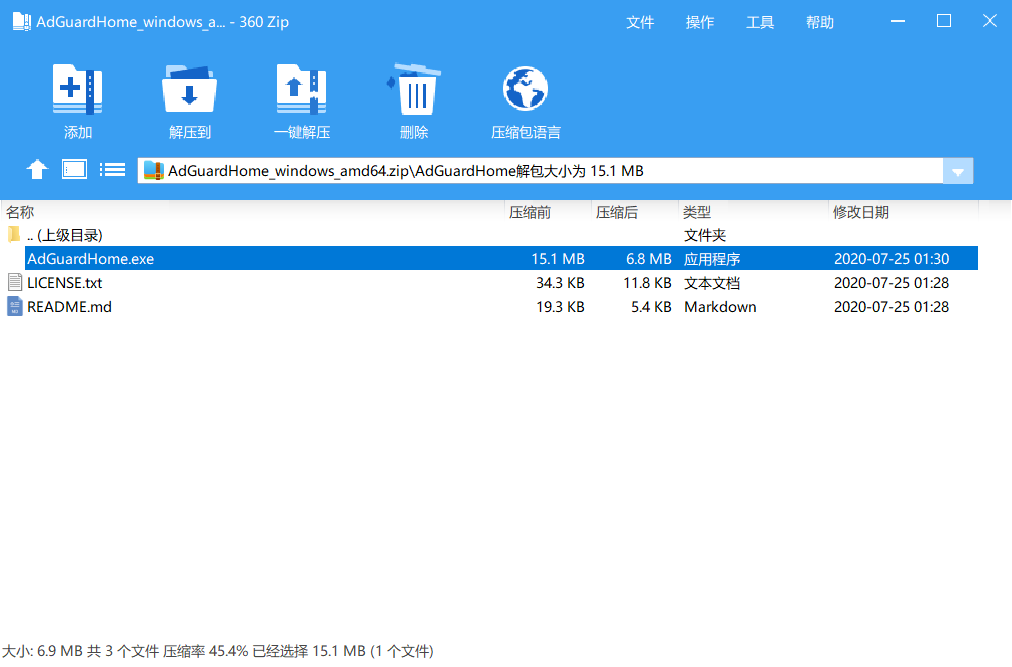
AdGuard Home
官方脚本安装
在终端中运行以下命令:
curl -sSL https://raw.githubusercontent.com/AdguardTeam/AdGuardHome/master/scripts/install.sh | sh如果提示 curl: command not found ,那是因为没装 Curl ubuntu/debian 系统安装 Curl 方法:
apt-get install curl -ycentos 系统安装 Curl 方法:
yum install curl -y以 IP:映射出的端口 方式进入引导配置界面(如:http://127.0.0.1:3000),在引导步骤中配置各服务监听端口
- 监听的端口需要是宿主机未使用的端口,因为后面会以
host网络模式重建容器 - 【网页管理界面】的监听端口默认
80 ,这个端口很可能会有冲突,特别是在 云服务器 上部署的,建议修改 - 【DNS服务器】监听接口默认
53,国内未经备案使用,可能被主机商检测到,建议修改

设置管理用户
- 设置的用户名与密码请三思。因为后续无法在面板上直接更改,只能通过
htpasswd重新生成hash再修改到配置文件,麻烦了点

后面一路选择 “下一步” 即可。
最后如果你点击了 “打开仪表盘”,若是先前的【网页管理界面】的监听端口设置的不是已映射的端口,跳转后打不开是正常的
基础设置
1. 将上游DNS服务器设置为Mosdns

应用设置:


2. 禁用 IPv6 解析
由于上面 Mosdns 的配置里也禁用了对 IPv6 的解析,所以这里顺便也禁用吧

3. DNS 缓存

4. 去广告

添加规则集:

# 黑名单:
filters:
  - enabled: true
    url: https://adguardteam.github.io/HostlistsRegistry/assets/filter_1.txt
    name: AdGuard DNS filter
    id: 1
  - enabled: true
    url: https://adguardteam.github.io/HostlistsRegistry/assets/filter_2.txt
    name: AdAway Default Blocklist
    id: 2
  - enabled: true
    url: https://anti-ad.net/easylist.txt
    name: Anti-ad
    id: 1717366234
  - enabled: true
    url: https://gist.githubusercontent.com/Ewpratten/a25ae63a7200c02c850fede2f32453cf/raw/b9318009399b99e822515d388b8458557d828c37/hosts-yt-ads
    name: YouTobe
    id: 1717366236
  - enabled: true
    url: https://cdn.jsdelivr.net/gh/jdlingyu/ad-wars@master/hosts
    name: 大圣净化
    id: 1717366237
  - enabled: true
    url: https://raw.githubusercontent.com/xinggsf/Adblock-Plus-Rule/master/mv.txt
    name: 乘风视频
    id: 1717366238
  - enabled: true
    url: https://easylist-downloads.adblockplus.org/easylistchina.txt
    name: easylistchina
    id: 1717366239
  - enabled: true
    url: https://easylist-downloads.adblockplus.org/easylist.txt
    name: easylist
    id: 1717366240
  - enabled: true
    url: https://raw.githubusercontent.com/Cats-Team/AdRules/main/dns.txt
    name: ad-dns
    id: 1717366242
  - enabled: true
    url: https://raw.githubusercontent.com/Goooler/1024_hosts/master/hosts
    name: 澳门皇家赌场
    id: 1717366244
  - enabled: true
    url: https://raw.githubusercontent.com/TG-Twilight/AWAvenue-Ads-Rule/main/AWAvenue-Ads-Rule.txt
    name: 秋风
    id: 1718626718
  - enabled: true
    url: https://adguardteam.github.io/HostlistsRegistry/assets/filter_29.txt
    name: 'CHN: AdRules DNS List'
    id: 1720846363
可在 自定义过滤规则 中单独放行/拉黑(子)域名
# 白名单(自定义过滤规则):
@@||dataflow.biliapi.com^$important
@@||lxcdn.dl.files.xiaomi.net^$important
||u3.ucweb.com^
@@||ip.taobao.com^$important
@@||adashbc.ut.taobao.com^$important
@@||s.click.tmall.com^$important
@@||s.click.taobao.com^$important
@@||taobao.com^
@@||clientlog3.music.163.com^$important
@@||app-monitor.ele.me^$important
@@||mon.snssdk.com^$important
@@||datacollector-drcn.dt.hicloud.com^$important
@@||ele.me^
@@||elemcdn.com^
@@||alipayobjects.com^
@@||jianshu.com^
#||ctobsnssdk.com^
#||pangolin.snssdk.com^
#||pangolin-sdk-toutiao.com^
#||pangolin-sdk-toutiao-b.com^
#||pglstatp-toutiao.com^
#||dm.toutiao.com^
#||ulogs.umeng.com^
#||aaid.umeng.com^
#||tnc*.zijieapi.com^
#||mssdk-bu.bytedance.com^
||api2.coolapk.com/v6/feed/detail$replace=/"include_goods_ids":\[.*?]\,"include_goods":\[.*?]\,/ /
||api2.coolapk.com/v6/feed/detail$replace=/\,"detailSponsorCard":{.*}/}}/
# csdn广告
||lupic.cdn.bcebos.com^
# 简书广告
||pp.chuzushijian.cn^
||cdn-file-ssl-wan.ludashi.com^
||cdn-file-ssl-wan.ludashi.com/wan/newswf/dlgglm^$important
# 解除张大妈
@@||smzdm.com^
@@||zdmimg.com^
# 贴吧
## tieba-ares.cdn.bcebos.com/mis/2023-5/1683789351139/ac0b4431fb1b.gif
||tieba-ares.cdn.bcebos.com/mis^$important
||tieba-ares.cdn.bcebos.com^$important
# 解除夸克
@@||myquark.cn^
@@||quark.cn^
# 解除阿里
@@||aliyuncs.com^
#
@@||netease.com^
# 酷安_测试faild
#||tr.byteurl.cn^$important
#||pull-flv-f29.douyincdn.com^$important
#||pull-hls-vr-l11.douyincdn.com^$important
#||frontier100-toutiao.toutiaoapi.com^$important
#||p3-shortvideo-sign.toutiaoimg.com^$important
#||niu-agjsnj.snssdk.com^$important
#||mssdk3-normal-lf.zijieapi.com^$important
# 酷安+番茄
||pangolin-sdk-toutiao.com^
||zijieapi.com^$app=com.dragon.read
||frontier-toutiao.snssdk.com^$app=com.dragon.read
||pangolin-sdk-toutiao-b.com^
||ads5-normal-lf.zijieapi.com^$app=com.dragon.read
||pglstatp-toutiao.com^
# 解除CSDN
#@@||blog.csdn.net
# 解除哔哩哔哩
@@||bilibili.com^
# 同花顺看点
@@||10jqka.com.cn^$important
#@@||mo.baidu.com^$important
# 京东
@@||jd.com^$important
@@||360buyimg.com^$important
# 王者
@@||ap6.ssl.msdk.qq.com^$important
@@||szlong.weixin.qq.com^$important
# 快手?
@@||kuaishou.httpdns.pro^$important
@@||mime.baidu.com^$important
#||astrill4u.com^$client='103.98.17.11'
#||astrill4u.com^$important
@@||dc.sigmob.cn^$important
# Copilot
@@||githubusercontent.com^$important
@@||github.com^$important
# 阻止扫描
||astrill4u.com^$important
#@@||qq.com^$important
@@||3g.qq.com^$important
@@||public.gdtimg.com^$important
# shoppy
@@||shoppy.gg^$important
# QQ
@@||qpic.cn^$important
#@@||qq.com^$important
@@||t9.baidu.com^$important
@@||b.bdstatic.com^$important
@@||t7.baidu.com^$important
@@||sofire.baidu.com^$important
@@||t8.baidu.com^$important
@@||smartop-sdkapi.jiguang.cn^$important
DOH / DOT / DOQ 配置
首先你需要一个域名,并为其申请好了证书
1. 配置域名 & 端口
转到【设置】\=\>【加密设置】:

注意:如果配置了 DOH 端口,那么这个端口也是可以直接访问ADG面板!!
2. 配置域名证书 & 密钥
这里选择直接粘贴。当然你也可以配置路径

配置完成后,各协议的使用地址见菜单栏的【设置指导】,如:
https://域名:DOH端口/dns-query
quic://域名:DOQ端口
tls://域名:DOT端口
安卓的系统设置中的【私密/加密DNS】为 DOT 协议,且只能填写域名、使用
853端口,无法更改如果你的
853 端口惨遭阻断,可以使用AdGuard这个APP
3. Nginx反代
如果不想使用带端口的地址,需要Nginx反代,共用443端口
    location /dns-query {
    # 关键修改点:使用 https 协议,并且指向你截图中的 DOH 端口
      proxy_ssl_server_name on;
      proxy_ssl_name $host;
      proxy_pass https://127.0.0.1:你的doh端口/dns-query;
      proxy_http_version 1.1;
      proxy_set_header Host $host;
      proxy_set_header X-Real-IP $remote_addr;
      proxy_set_header X-Forwarded-For $proxy_add_x_forwarded_for;

    # 防止长连接断开
      proxy_read_timeout 60s;
      proxy_send_timeout 60s;
    }
使用教程
IPhone启用系统级DoH,从此直连L站
第一步:获取并下载描述文件 (:⚠️: 必须使用 Safari 浏览器)
苹果系统限制了只有自带的 Safari 浏览器才能触发描述文件的下载和安装机制。
打开手机上的 Safari 浏览器。访问专门为苹果设备生成 DNS 描述文件的开源工具网站。推荐使用这个极简又安全的生成器: DNS Profile Creator (这是一个著名的开源项目,专门生成苹果系统能认的 .mobileconfig 文件)
(如图:选择DoH,并填写DoH server URL:https://域名/dns-query,上面还有个Name of DNS provider,随便取个名字就行)

第二步:点击最下面add to profile,之后在跳转的这个界面里面点击download下载,之后会有个弹出框,需要点击一下允许

第三步:在 iOS 设备进入 设置 → 通用 → VPN 与设备管理,找到 EMAS HTTPDNS DoH Configuration,点击安装

电脑端DoH服务器使用教程
对于Edge,打开设置\=\>隐私、搜索和服务\=\>安全性,然后修改以下的选项成图中的样子

对于Chrome,打开设置\=\>隐私与安全\=\>安全,然后启用"使用安全DNS",像下面这样!

其他自建DOH方案
RethinkDNS
无需服务器,Deno/Cloudflare等均可部署,
注意:由于worker域名被墙,最好有一个托管在cf的域名指向这个worker
②Deno教程:
- 先去这个项目的Github地址,Fork一份到自己的仓库

打开deno部署官网,登陆Github账号
点击

来创建新的来自Github的项目
然后,点击自己的头像,找到你Fork的"serverless-dns项目"
就像这样!

仿照这样填完,点击"Deploy Project"!

稍等两分钟左右
等待部署好后,你就拥有了自己的DoH服务器!
食用方法:

复制这里的部署地址,然后拼贴到下面这个网址中就是你的DoH服务地址(我使用Edge,所以这里也是Edge的配置!)
https://[上面你获取的地址]/dns-query{?dns}NbDNS
前提
- 首先,你要有一台外国的Linux服务器,面板可选(如果你没有我就默认你可以自己完成下面的文件操作!)
- 十分建议配置反向代理,如果你不配置也可以,但你的DoH服务将会裸奔
打开/home/nbdns/data文件夹
首先在其中创建config.json,并复制粘贴以下内容进去
{
  "serve_addr": "127.0.0.1:8853",
  "web_addr": "0.0.0.0:8854",
  "strategy": 2,
  "timeout": 4,
  "built_in_cache": false,
  "bootstrap": [
    {"address": "tcp://8.8.4.4:53"},
    {"address": "tcp://1.0.0.1:53"}
  ],
  "upstreams": [
    {"address": "tcp-tls://dns.google:853"},
    {"address": "tcp-tls://one.one.one.one:853"},
    {"address": "https://dns.google/dns-query"},
    {"address": "https://cloudflare-dns.com/dns-query"},
    {"address": "https://dns.opendns.com/dns-query"},
    {"address": "https://doh.sb/dns-query"},
    {"address": "https://dns9.quad9.net/dns-query"}
  ],
    "doh_server": {
  },
  "blacklist": [".discord.com",".linux.do",".github.com"]
}
下载 china.txt 并改名为 china_ip_list.txt 到 data 文件夹
wget https://raw.githubusercontent.com/gaoyifan/china-operator-ip/refs/heads/ip-lists/china.txt -O data/china_ip_list.txt文件结构:
|- home
 |- nbdns
  |- data
   |- config.json
   |- china_ip_list.txt
直接Docker部署!
services:
    nbdns:
        volumes:
            - '/home/nbdns/data:/nbdns/data'
        ports:
            - '8853:8853/udp'
            - '8854:8854'
        container_name: nbdns
        image: ghcr.io/naiba/nbdns
docker-compose up -d本配置没有为DoH服务配置密码,所以十分建议使用Nginx反代端口(8854)后使用https+域名访问
Cloudflare DOH
进入Cloudflare Zero Trust界面

创建 DNS 位置,位置名称自定义,并如图勾选,然后依次点击 继续 - 完成 完成创建

记录好 基于 HTTPS 的 DNS 的值,形如 https://xxxxxx.cloudflare-gateway.com/dns-query 后面将会用到
创建描述文件
替换 DoH 接入地址后将文件重命名为 dns-over-https.mobileconfig 后下载到 iOS 设备,这里提供一个临时文件中转服务:FF2A File,然后在 iOS 设备进入 设置 → 通用 → VPN 与设备管理,找到 EMAS HTTPDNS DoH Configuration,点击安装
<!DOCTYPE plist PUBLIC "-//Apple//DTD PLIST 1.0//EN" "http://www.apple.com/DTDs/PropertyList-1.0.dtd">
<plist version="1.0">
<dict>
   <key>PayloadContent</key>
   <array>
      <dict>
         <key>DNSSettings</key>
         <dict>
            <key>DNSProtocol</key>
            <string>HTTPS</string>
            <key>ServerURL</key>
            <!---- 把此处的地址替换为 DoH 接入地址 --->
            <string>https://xxxxxx.cloudflare-gateway.com/dns-query</string>
         </dict>
         <key>PayloadDescription</key>
         <string>Configures iOS to use EMAS HTTPDNS DoH</string>
         <key>PayloadDisplayName</key>
         <string>EMAS HTTPDNS DoH</string>
         <key>PayloadIdentifier</key>
         <string>com.apple.dnsSettings.managed.9B498EC0C-EF6C-44F0-BFB7-0000658B99AC</string>
         <key>PayloadType</key>
         <string>com.apple.dnsSettings.managed</string>
         <key>PayloadUUID</key>
         <string>465AB183-5E34-4794-9BEB-B5327CF61F27</string>
         <key>PayloadVersion</key>
         <integer>1</integer>
         <key>ProhibitDisablement</key>
         <false/>
      </dict>
   </array>
   <key>PayloadDescription</key>
   <string>Adds EMAS HTTPDNS DoH configuration to iOS</string>
   <key>PayloadDisplayName</key>
   <string>EMAS HTTPDNS DoH Configuration</string>
   <key>PayloadIdentifier</key>
   <string>com.emas.apple-dns</string>
   <key>PayloadRemovalDisallowed</key>
   <false/>
   <key>PayloadType</key>
   <string>Configuration</string>
   <key>PayloadUUID</key>
   <string>130E6D6F-69A2-4515-9D77-99342CB9AE76</string>
   <key>PayloadVersion</key>
   <integer>1</integer>
</dict>
</plist>
各种Cloudflare Worker-Doh脚本
[!NOTE]
Cloudflare脚本的使用都差不多,你所需要做的只是\=\>进入你的Cloudflare控制主页
\=\>计算与AI
\=\>Workers与Pages
\=\>创建应用程序
\=\> 点击从 Hello World! 开始右侧的开始使用
\=\>编辑代码
\=\>粘贴你获得到的代码(我们称这个为Worker代码)非常推荐的步骤(拥有域名的前提下,设置自定义域):\=\> 设置
\=\> 域和路由
\=\>+ 添加
\=\> 自定义域
\=\> 填入你需要的域名名称 (这个域名需要在你的CF账户内)
\=\> 添加域
(可选,此举可以提高安全性)\=\> 回到域与路由
\=\> 类型workers.dev右侧的三个点
\=\>禁用域然后你的"Worker地址"应该为你最新绑定的域名,否则为原显示域名
可选/部分项目要求的步骤:\=\>设置
\=\>变量与机密
\=\>+ 添加
\=\>填写表单变量名称与值视项目所定
jqknono佬的CF-Doh项目
jqknono/cloudflare-doh: 使用cloudflare代理DoH
本项目的Worker代码链接为
复制这个里面获得的所有文本
然后添加环境变量
变量名称为
DOMAIN_MAPPINGS内容为
{
    "/google": {
        "targetDomain": "dns.google",
        "pathMapping": {
            "/query-dns": "/dns-query"
        }
    },
    "/cloudflare": {
        "targetDomain": "one.one.one.one",
        "pathMapping": {
            "/query-dns": "/dns-query"
        }
    },
    "/quad9": {
        "targetDomain": "dns.quad9.net",
        "pathMapping": {
            "/query-dns": "/dns-query"
        }
    }
}
之后,你可以拥有以下端点的DoH服务器
GoogleDoH
https://[你的Worker地址]/google/query-dns{?dns}CloudflareDoH
https://[你的Worker地址]/cloudflare/query-dns{?dns}Quad9DoH
https://[你的Worker地址]/quad9/query-dns{?dns}cmliu佬的cf-DoH项目
cmliu/CF-Workers-DoH: CF-Workers-DoH 是一个基于 Cloudflare Workers 构建的 DNS over HTTPS (DoH) 解析服务。
本项目的Worker代码链接为:复制这个里面获得的所有文本
直接部署即可食用,默认DoH为Cloudflare,可参照项目修改
之后,你可以拥有以下端点的DoH服务器
CloudflareDoH
https://[你的Worker地址]/dns-query{?dns}